
Kanvo: AI Art & Photo Studio
AppNationsArt & Design
3.89.00 Reviews
- Version
- 1.0.15
- Installs
- 10.00K
- Age Rating
- Everyone
Screenshots
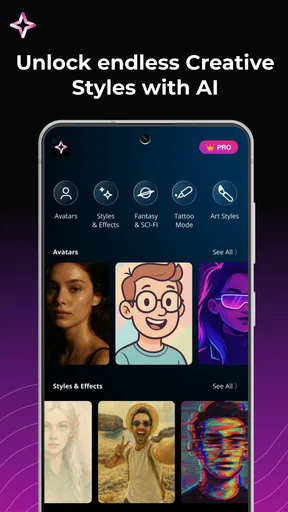
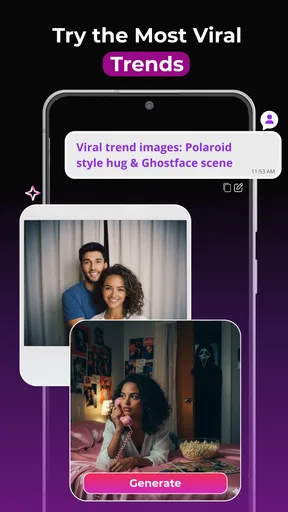
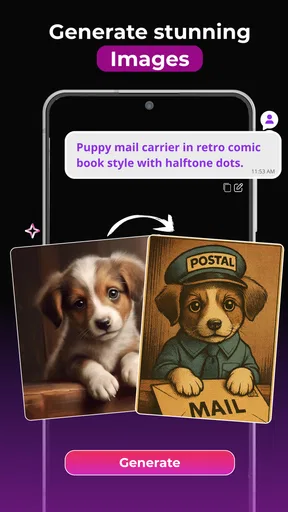

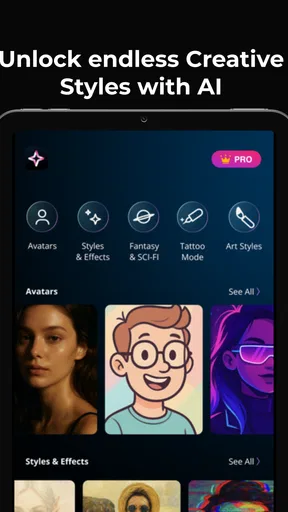
Our Review of Kanvo: AI Art & Photo Studio
 Analysis by Appyee
When I open Kanvo: AI Art & Photo Studio, I approach it less like a full drawing program and more like a quick idea-to-image tool. Its central appeal is simple: I can start with a written concept or a photo-based idea and turn it into an AI-generated visual without spending a long time learning brushes, layers, or complicated controls. That makes it interesting for anyone who wants to explore an image before committing time to a polished design.
My overall impression is that Kanvo works best when speed matters more than exact control. I can imagine using it to test a mood for a social post, create a visual reference for a personal project, or see how a portrait concept might look in a different artistic direction. It is not the kind of app I would choose as my only tool for detailed illustration or professional photo retouching, but it has a clear place in a lightweight creative workflow.
Turning a rough idea into a usable visual
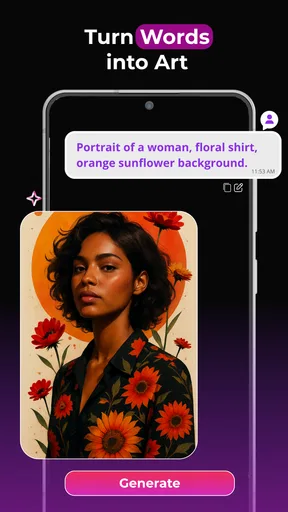
The capability that defines Kanvo: AI Art & Photo Studio is its focus on generating AI art, portraits, and photo-style images from an idea. In practice, that changes the first step of creating something. Instead of opening a blank canvas and wondering where to begin, I can start with a subject, a visual mood, or a portrait concept and use the generated result as a direction.
That distinction matters. A blank drawing app rewards people who already know how to compose, sketch, and refine. Kanvo is more approachable when I have a picture in my head but not the manual skill to build it from scratch. The result is not necessarily a finished piece, yet it gives me something concrete to react to. I can decide whether the colors, expression, atmosphere, or overall style are moving in the right direction.
I found this type of workflow especially useful for brainstorming. For example, if I wanted a dramatic profile image for a fictional character, I could begin with the character’s age, clothing, setting, and mood, then judge the visual direction instead of trying to describe the concept only in words. The generated image becomes a reference point. Even when it misses part of the idea, the mistake can reveal what I actually want to change.
There is also a practical benefit for people who need occasional visuals but do not want to become familiar with a large creative suite. Kanvo sits closer to an idea generator than to a traditional editor. That makes the learning curve feel lighter, although it also means I should not expect the same level of precision I would get from a dedicated illustration or photo-editing application.
How I approach the generation process
The most important habit is to treat the first request as a draft, not a final instruction. Short prompts can be useful for quick experimentation, but more specific wording gives me a better chance of getting an image that matches my intention. I would describe the subject first, then the setting, lighting, mood, and visual treatment. Keeping those elements in a clear order makes it easier to understand which part of the idea needs adjustment.
For a portrait, I would avoid writing only “make a stylish portrait.” That leaves too much open. A more useful direction would describe the person, the framing, the background feeling, the clothing, and whether the image should feel calm, cinematic, playful, or formal. I would also change one major detail at a time between attempts. If I rewrite everything after every result, it becomes difficult to tell what improved the image.
This is one of the less obvious strengths of an AI art app: it gives me a fast way to compare creative choices. I can test a warm background against a cool one, or a close portrait against a wider composition, without manually rebuilding the scene each time. The trade-off is that I am guiding a system rather than placing every object myself, so consistency and exact positioning are not always under my control.
When I use an image generator for a real task, I also keep the purpose visible. A picture for a private mood board can be loose and surprising. A picture intended for a profile, invitation, or post needs a clearer subject and enough empty space for surrounding text. Thinking about the final use before generating helps me judge the result more fairly than simply asking whether it looks attractive on its own.
A realistic everyday workflow
Imagine I am preparing a small announcement for a hobby group. I do not need a complete brand identity, but I want a background image that feels more personal than a generic stock photo. I could use Kanvo to explore a few visual directions: a softly lit desk, a colorful abstract scene, or a portrait-like illustration connected to the theme. Once I find a direction I like, I can use that image as a reference while preparing the final announcement elsewhere.
In that situation, the app saves me from staring at an empty page. It does not replace the rest of the task, because I may still need to add readable text, crop the composition, or check how the image looks on a phone. Its value is in producing a starting point quickly. I would not rely on it alone for the complete layout, but I would gladly use it to overcome the hardest part: deciding what the visual should be.
A similar workflow works for personal projects. I could generate a portrait concept for a character, a visual atmosphere for a short story, or an image to help explain an interior-design idea to someone else. The result does not have to be published to be useful. Sometimes a rough visual communicates an intention more clearly than several paragraphs of explanation.
Where portraits help and where they need checking
Portrait generation is appealing because faces make an idea feel immediate. A character description becomes easier to discuss once I can see an approximate expression, hairstyle, outfit, or setting. Kanvo can therefore be useful during early planning, especially when I want several possible directions before choosing one.
I would still inspect every portrait carefully before sharing it. AI-generated faces and details can look convincing at first glance while containing small inconsistencies. I would check the eyes, hands, jewelry, clothing edges, and background objects, particularly if the image is meant to represent a real person or support a public-facing project. A quick visual check is not optional just because the overall composition looks polished.
For a personal avatar or an informal creative post, those imperfections may be acceptable. For a professional headshot, an identity-sensitive image, or anything that needs to resemble a specific person accurately, I would prefer a conventional photo workflow or a tool designed for controlled retouching. Kanvo is more comfortable as a creative interpretation than as a guarantee of faithful reproduction.
What the app is like to live with
Kanvo is an Android app in the Art & Design category, developed by AppNations. It is free to install, and the content rating is Everyone, which makes it approachable for a broad audience. The app works on Android 7.0 and later, so people using older compatible phones may still be able to try it rather than needing a recent device.
The current version is 1.0.15. I would keep the app updated if I planned to use it regularly, because AI-focused applications can improve their experience through revisions to generation, navigation, or compatibility. I would also remember that a free installation does not mean every creative use is cost-free: in-app purchases range from $13.99 to $69.99 per item. That makes it important to understand my own usage pattern before treating the app as an unlimited everyday generator.
The public response gives Kanvo a 3.8 average from around 63 ratings, with 9 written reviews and over 10K installs. I read that as a sign of an app with a real but still relatively small user base, rather than a mature creative platform with a long track record. I would try it personally and judge whether the workflow suits me instead of assuming the rating settles the question.
The trade-off between speed and control
The biggest advantage is also the main limitation. AI generation can produce a visual direction quickly, but speed does not equal precision. If I need a particular object in an exact location, a carefully measured composition, or a consistent character across many images, I would probably want a more controlled tool. Traditional editors take longer, but they let me place, erase, resize, and adjust elements deliberately.
Kanvo is also not a substitute for a drawing app when the act of drawing is the point. Someone who enjoys building an image stroke by stroke may find the generated approach less satisfying. Likewise, a photographer who needs dependable color correction, masking, and detailed retouching will likely be better served by a dedicated photo editor. The app makes more sense when the goal is exploration, variation, and quick visual communication.
Cost is another practical consideration. Since the app is free to start but includes purchases that can reach a substantial amount per item, I would avoid beginning with a large project that depends on repeated generation until I understand how the paid options fit my needs. For occasional experiments, the free entry point is attractive. For frequent production work, I would compare the likely expense with a subscription or editor whose pricing and controls are a better match for my routine.
I would also keep original files and notes outside the app when a project matters. Saving the prompt or concept separately gives me a record of what I was trying to achieve and makes it easier to recreate the direction in another tool. This is a small habit, but it prevents an interesting visual experiment from becoming impossible to repeat later.
Three ways to get more from the app
First, I would generate for composition rather than perfection. If the image will eventually include a title or caption, I would ask for a scene with breathing room on one side. That can make the result far more useful than a visually busy image where every area is filled. It is an easy adjustment that many first-time users overlook.
Second, I would use contrasting variations deliberately. Instead of requesting ten nearly identical images, I would create a small set with clearly different moods or framing choices. This turns Kanvo into a decision-making tool. I can compare a close portrait with a wider scene, or a quiet color palette with a vivid one, and then refine the direction that communicates best.
Third, I would separate inspiration from delivery. A generated image can be excellent for choosing a theme while still needing cropping, text placement, or cleanup elsewhere. Treating it as one stage in a larger process leads to better results than expecting one tap to provide a publication-ready design for every situation.
These habits also answer a common concern: whether a person needs artistic expertise to use the app well. I do not think advanced drawing skills are necessary, but visual judgment still helps. Knowing what the image is for, what should stand out, and what details must remain accurate makes the difference between a random attractive picture and a useful creative asset.
Who will benefit most
I would recommend Kanvo to casual creators, students exploring visual ideas, writers developing characters, and social-media users who want a distinctive image without learning a complex editor. It is particularly suitable for someone who often says, “I know the feeling I want, but I cannot make it myself.” The app gives that feeling a visual starting point quickly.
It may also help small teams during early discussions. A rough AI-generated concept can make a conversation about a campaign, event, story, or personal project more concrete. People can react to an image and identify what feels right or wrong, which is often faster than debating abstract descriptions.
I would skip it as my main choice if I needed exact brand consistency, professional retouching, hand-drawn control, or reliable replication of a real person. In those cases, a conventional design suite, a dedicated photo editor, or a drawing application would be the better investment. Kanvo is strongest when uncertainty is the problem and I need several visual possibilities before deciding what to make.
After trying to place it in a realistic creative routine, I see it as a convenient idea accelerator rather than a complete studio. Its free starting point, broad age rating, and support for older Android versions make it easy to approach, while the in-app purchase range means regular users should pay attention to how often they generate. The app’s value depends less on producing a perfect image every time and more on helping me move from a vague thought to something I can inspect, discuss, and improve.
My recommendation is therefore conditional but positive: try Kanvo if you want fast AI-assisted art, portraits, or photo concepts and are comfortable finishing important work with other tools. Use specific prompts, check portraits closely, leave room for text when needed, and treat each result as part of a creative process. Kanvo is most useful when it gives your next idea a visible shape before you know exactly how to finish it.
Verdict
Strengths of Kanvo: AI Art & Photo Studio
- Creates distinctive AI artwork from simple text prompts.
- Offers creative photo-editing tools in one mobile workspace.
- Useful for experimenting with multiple visual styles quickly.
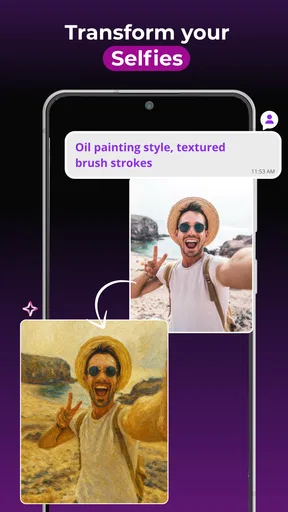
- Can turn ordinary photos into shareable artistic images.
- Suitable for beginners without advanced editing experience.
Limitations of Kanvo: AI Art & Photo Studio
- AI results may differ noticeably from the original prompt.
- Some advanced tools or styles may require a subscription.
- Generated images can contain occasional visual artifacts.
- Processing time may increase for complex edits or busy periods.
- Privacy details should be reviewed before uploading personal photos.
Other Releases by AppNations
View All
Friend Tracker: Find a Phone
Lifestyle4.4
Similar Picks in This Category
View All
Canva: AI Photo & Video Editor
Canva4.8

PENUP – Drawing-sharing SNS
Samsung Electronics Co., Ltd.4.5

Crafto
Kutumb App4.6

Sketchbook
Sketchbook4.1

ibis Paint X
ibis inc.4.5

Adobe Express: AI Photo, Video
Adobe4.6
Frequently Asked Questions
What is Kanvo: AI Art & Photo Studio, and what can I do with it?
Kanvo: AI Art & Photo Studio is an AI-powered creative app designed for transforming photos and generating visual artwork. Depending on the available tools and your device, you can experiment with AI styles, artistic effects, photo enhancements, creative edits, and image-based designs. It is aimed at casual users and creators who want quick results without needing advanced photo-editing knowledge.
Is Kanvo: AI Art & Photo Studio free to download and use?
The app may be available to download for free, but some features, filters, generation options, or export tools can require in-app purchases or a subscription. Before starting a trial, carefully check the pricing, renewal terms, and what is included in the free version. AI processing may also be subject to usage limits, credits, or restrictions depending on the current app plan.
Does Kanvo require an internet connection to create AI artwork?
Most AI image-generation and advanced editing features generally require an active internet connection because photos are processed through online services. Basic browsing or certain local editing functions may work differently, depending on the version installed. If you plan to use Kanvo while traveling or with limited data, check whether the specific tool supports offline use and be aware that uploading images can consume mobile data.
Is my personal photo data safe when using Kanvo?
Before uploading personal or sensitive images, review Kanvo’s privacy policy and the permissions requested by the app. AI editing services may need to send photos to remote servers for processing, and retention periods can vary. Avoid using confidential documents or images of other people without permission. Also check whether generated images are stored in your account, device gallery, or cloud service.
Can I use images created with Kanvo for commercial projects or social media?
Kanvo can be useful for profile pictures, posts, invitations, concepts, and other creative projects, but usage rights may depend on the app’s terms, subscription level, source image, and the AI model used. Before using an image commercially, read the current licensing conditions and confirm that you own or have permission to use the original photo. Be especially careful with recognizable people, trademarks, and copyrighted material.
